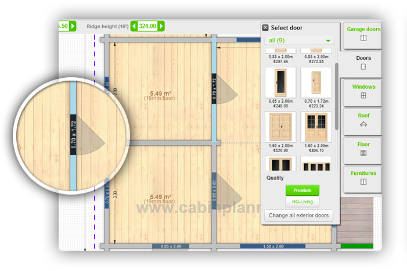
CabinPlanner and the Janolex Dealer Shop are the main digital tools provided to authorised B2B partners for product selection, project preparation, price calculation, order placement and order status tracking. The two systems serve different purposes: CabinPlanner and Dealer Shop access is available to authorised Janolex B2B partners. Access rights, available products and pricing are configured according to the agreed partnership model and market. B2B User Access is intended for regular Janolex partners. It provides access to the Janolex wholesale domain, including: Dedicated Domain Access is intended for selected or exclusive partners operating under individually agreed terms and conditions. A dedicated domain provides a separate white-label environment which, depending on the agreement, may include: The exact functionality, product range, pricing and branding options are defined in the individual partnership agreement. To create an account, Janolex may request: Each account is linked to the partner’s agreed commercial terms, pricing level and market. The partner must ensure that the information provided is complete and accurate. Janolex should be informed if the responsible person, email address, company details or other account information changes. The partner is responsible for protecting their account credentials and all information available through CabinPlanner and the Dealer Shop. The following information must not be shared with customers, competitors, other suppliers or unauthorised third parties: Login details should not be shared between multiple users. If an additional employee requires access, the partner should contact Janolex to request a separate authorised user account. The partner must inform Janolex immediately if: A dedicated domain, pricing arrangement or market access does not grant exclusivity or other additional rights unless these are explicitly confirmed in a written partnership agreement. CabinPlanner allows B2B partners to prepare custom wooden building projects and calculate their estimated price. The system can be used to: Availability of particular options depends on the selected product, wall type and market. Create a separate CabinPlanner project for each customer or building. Do not use one CabinPlanner project for several different customer enquiries or final orders. Every project must have an individual Project ID. The Project ID must be included in all related emails, drawings, change requests and support enquiries. Draw the project as accurately as possible and select all required products and additions. Before placing the order, check: If a required detail cannot be created in CabinPlanner, explain it clearly in the project comments. When necessary, attach: Special requirements should be submitted before the project is sent to design. CabinPlanner provides a fast price calculation based on the selected project and available system options. A manual price review may be required when the project includes: Any special product that is not included in the CabinPlanner calculation must be identified before the order proceeds. Before placing the order, confirm that: After the order is placed, the project enters the Janolex order and design process. CabinPlanner Academy provides step-by-step tutorials and practical guidance on using CabinPlanner and the Dealer Shop. See: Open CabinPlanner Academy For additional training or technical support, please contact your dedicated Janolex sales manager. Use of CabinPlanner and the Dealer Shop is subject to the current Janolex General Terms and Conditions and the individual commercial agreement with the partner. Partners are responsible for reviewing the applicable terms before placing an order. Read the general terms and conditions Project-specific written agreements take priority where expressly agreed. Otherwise, the latest published General Terms and Conditions apply. 1. Purpose
Tool
Main purpose
CabinPlanner
Creating and estimating custom building projects
Dealer Shop
Viewing standard products, specifications, additions and B2B prices
Order management
Following order, design, production, packing and delivery statuses
2. Account Access
2.1 Types of access
B2B User access
Dedicated domain access
2.2 Information required for account setup
2.3 Account security and confidentiality
3. CabinPlanner
4. Creating a CabinPlanner project
Step 1 – Create an individual project
Step 2 – Prepare the building
Step 3 – Provide special requirements
Step 4 – Review the calculated price
Step 5 – Place the order
5. Tutorials and training
6. General terms and conditions